Key Takeaways
Agent Skills teach an AI coding agent to build against the RadioCult API the way we recommend, so you get a correct build the first time.
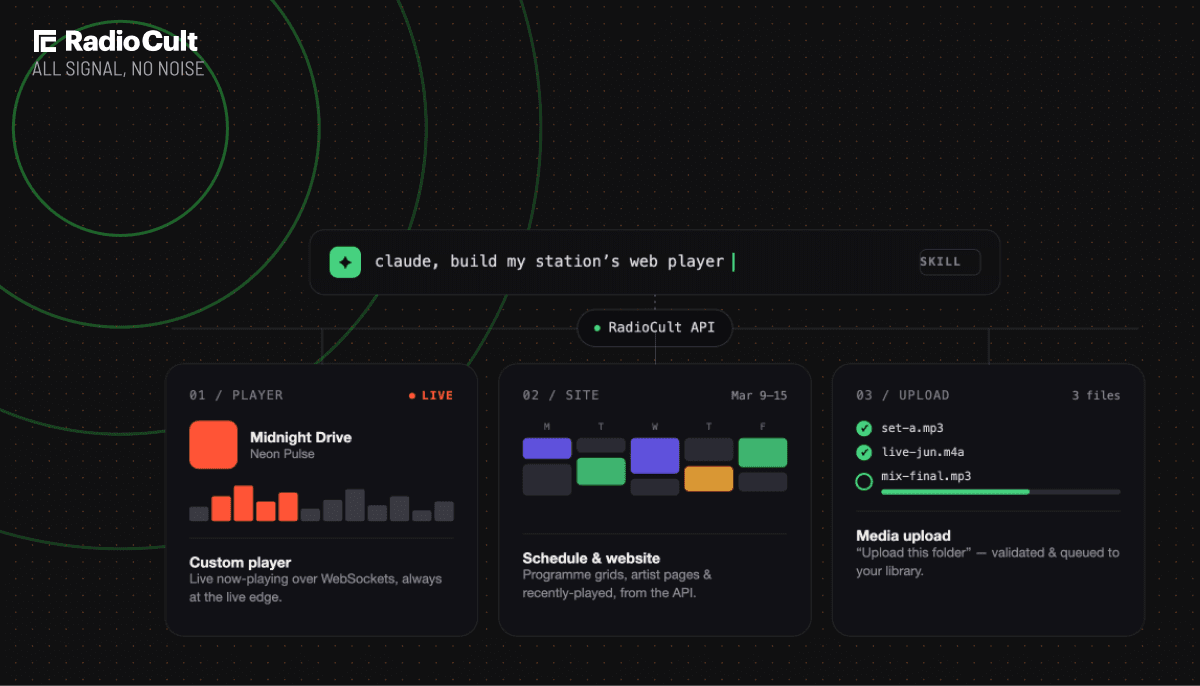
Four skills to start with: a custom player, a station website and schedule, direct media uploads, and schedule automation.
They cover the details that are easy to get wrong on live radio: realtime now-playing updates, clean audio on pause and play, efficient schedule queries, and keeping secret keys out of the browser.
Point the upload skill at a folder and your agent uploads the files for you, from your own machine.
Works with Claude, Codex, Gemini and ChatGPT. Download them free from the API docs.
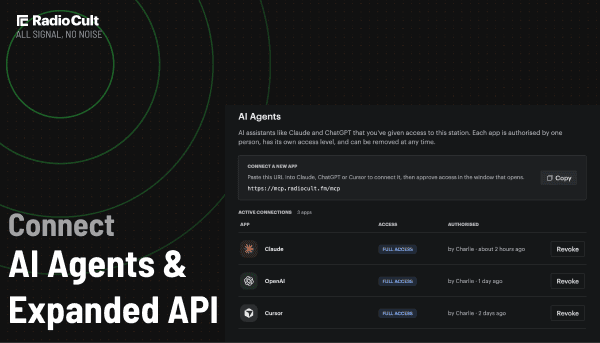
AI coding agents are becoming part of how stations run. We have written before about how AI tools can help your community radio station, and building your station website is the next piece of that. Point an agent at the RadioCult API and it can wire up a player, a schedule page, or an upload script in minutes.
An agent skill is a set of instructions you hand an AI coding agent that teaches it how to do a specific job. RadioCult Agent Skills teach your agent how live radio works on our API, so what it builds works the way your station needs it to, the first time.
What a general AI agent gets wrong on the RadioCult API
Without guidance, an AI agent builds against the RadioCult API the way it would build against any API. For live radio, that leaves gaps that show up later as extra load, stale audio, or exposed keys.
Left to work it out alone, an agent tends to:
- Fetch now-playing data on a timer, which adds load to your API and still lags behind the live broadcast.
- Leave a stale audio buffer when a listener pauses and plays again, so they hear audio from minutes ago and listener sessions never close cleanly.
- Request each artist separately, so a full week of shows turns into one API call per artist as your programming grows.
- Put a secret key in client-side code, where anyone viewing your site can read it.
- Guess at upload rules, with no reliable sense of the accepted file types, size limit, or how to attach metadata.
- Write shows into the schedule without checking what is already there, so a script that runs twice books two shows into the same slot.
What changes when your agent uses a RadioCult skill
A skill gives the agent the missing context before it writes a line of code. The same agent now builds against the API the way we would, and the gaps close.
With a skill in place, your build:
- Receives now-playing updates in real time, with less load and no lag behind the broadcast.
- Joins the live stream on play and disconnects on pause, so listeners always hear the live broadcast and your analytics stay accurate.
- Returns shows, artists, and artwork in a single request, however large the schedule gets.
- Keeps only the publishable key in the browser, with secret keys staying server-side.
- Validates every upload and attaches it to the right playlists and tags.
- Reads the schedule before it writes to it, so a job you run every week updates your shows instead of duplicating them.
Download the skills and build your station the right way, first time.
Four skills: custom player, station website, media upload, schedule automation
Each skill covers one part of your station, and you can use them on their own or together.
Custom radio player
Gives listeners a player that reflects what is actually on air. It uses realtime now-playing metadata and manages the audio element so the stream is joined on play and released on pause, which keeps your listener analytics accurate. It only ever uses your publishable key, so it is safe to run in a browser.
Station website and schedule
Keeps your website connected to the platform, which acts as your CMS. Your agent can build weekly schedule grids and programme guides, an artist directory with profile pages, and a recently-played feed, all from the API. It fetches artist and tag details in a single request only when a page shows them, and converts broadcast times from UTC to your local timezone correctly.
Media upload
Moves audio into your library without a manual upload flow. It can help you build your own automation, but the simplest use is direct: point your agent at a folder and ask it to upload. It validates each file, uploads them one at a time to stay inside your rate limits, and reports back what went in and what was skipped.
Schedule automation
Puts your schedule itself under your agent's control: creating, updating and deleting shows, setting up a repeating series with a valid recurrence rule, and booking artists onto events. It also covers the harder half of the job, keeping your schedule in step with a roster spreadsheet, a CMS or a booking form. The skill reads the range before it writes so a job you run every week does not double-book a slot, converts show times through your station's timezone, and checks with you before anything is deleted.
Point your agent at a folder and let it handle the upload.
Works with Claude, Codex, Gemini and ChatGPT
The skills come in two forms so they fit whatever your team already uses:
- Using Claude? Download the skill as a zip and add it to Claude Code, or upload it as a skill on claude.ai.
- Using Codex, Gemini, ChatGPT or something else? Copy the prompt into your agent's instructions, for example your project's
AGENTS.mdorGEMINI.mdfile, a Custom GPT, or a Gemini Gem.
Either way, the skill travels with your agent and guides it as it builds.
Before and after, at a glance
| What your agent does | Without a skill | With the skill |
|---|---|---|
| Now-playing updates | Polls on a timer, lags and adds load | Listens in real time, with less load |
| Pause and play | Resumes stale audio | Rejoins the live broadcast, analytics stay clean |
| Schedule with artists | One request per artist | Shows, artists, and artwork in one request |
| API keys | Secret key can reach the browser | Publishable key only in client code |
| Uploading audio | Guesses at the rules | Validates and uploads correctly |
How to install a RadioCult Agent Skill
Getting started takes a few minutes:
- Open the RadioCult API docs and go to the Agent Skills section.
- Download the skill you need as a zip for Claude, or copy the prompt for another agent.
- Get your station ID and API key from your API settings. Use your publishable key for anything that runs in a browser.
- Ask your agent to build the feature, and let the skill guide it.
New to the RadioCult API? The API docs cover keys, endpoints and examples, with the skills at the top ready to download.
Frequently asked questions
What is an agent skill?
It is a set of instructions you give an AI coding agent that teaches it how to do a specific job. RadioCult Agent Skills teach your agent how to build against our API correctly, so it uses realtime updates, handles audio properly, and keeps your keys safe.
Do I need to be a developer?
For the player and website skills, you or someone on your team builds on your own site, and the agent does most of the work. The upload and schedule automation skills are the simplest: you can point your agent at a folder and ask it to upload, or ask it to build next week of shows.
Which API key should I use?
Anything that runs in a browser, like a player or a schedule page, must use your publishable key. The upload skill uses your secret key, which stays on your own machine or server and never reaches a browser. The skills follow this rule for you.
Which plans do the skills work on?
Every RadioCult plan includes read access to the API, so the custom player and the station website and schedule skills work on any plan. The media upload and schedule automation skills write to your station, which needs Connect: included on Premium and Business, or you can add it to Starter or Growth. See our pricing for what each plan includes.
Are the skills free?
Yes. Download them from the API docs at no extra cost. The player and website skills work on any plan, and the media upload and schedule automation skills need Connect, which is included on Premium and Business or can be added to Starter or Growth.
Can I use them with my own AI tool?
Yes. Download the zip for Claude, or copy the prompt into another agent, including Codex, Gemini and ChatGPT.
Ready to let your agent build the right way? Open the API docs, download a skill, and put it to work.
Download your first agent skill today.