Key Takeaways
A live chat room turns solo listening into a shared experience, which is one of the most reliable ways to lift engagement and retention.
On-site chat keeps the conversation next to the player. Discord and Telegram are powerful but pull listeners onto a separate app away from your stream.
Moderation and a visible, verified host presence are what keep a room warm, welcoming, and on topic.
The best setups carry the same chat across web and mobile, so listeners can join the conversation wherever they are tuned in.
If you run an online community radio station, your programming is only half the story. The other half is what happens between your listeners while a show is on air. A live chat room is the simplest way to turn a room full of strangers all listening alone into a community that talks back, and that shift is one of the most dependable ways to keep people tuned in for longer.
Audio is a companion medium, and there is a large, engaged audience to build on. Americans now spend about 3 hours and 54 minutes a day with audio across radio, podcasts, and streaming, and radio alone still takes 61% of daily ad-supported listening time (Edison Research, The Record, Q4 2025). People already have your stream open for hours. A chat room simply gives them somewhere to react in the moment.
This guide covers why live chat lifts engagement, where the conversation should live (your own site versus Discord or Telegram), how to moderate a healthy room, why a verified host presence matters, and how to keep the whole thing close to the broadcast across web and mobile.
Why a live chat room lifts engagement
The value of chat is not the messages themselves. It is what a live, shared conversation does to the way people listen.
It turns solo listening into a shared moment
Radio is intimate but usually solitary. A chat room next to the player lets listeners react to a track drop, greet the host, or debate a set in real time, which converts passive background audio into an active, social session. That sense of "being here together" is exactly what keeps people from drifting off to another tab, and it is a core part of building a loyal listener base.
Engaged fans simply spend more time with you
The people who feel part of something stay longer and do more. Deloitte's Digital Media Trends work found that self-identified fans spend around 51 more minutes a day with entertainment than non-fans, roughly 16% more, and are far more likely to engage across multiple touchpoints rather than tune in once and leave (Deloitte, Subscribers to Superfans, 2025). A chat room is one of the cheapest ways to move a casual listener toward that fan behaviour.
It gives you real-time feedback
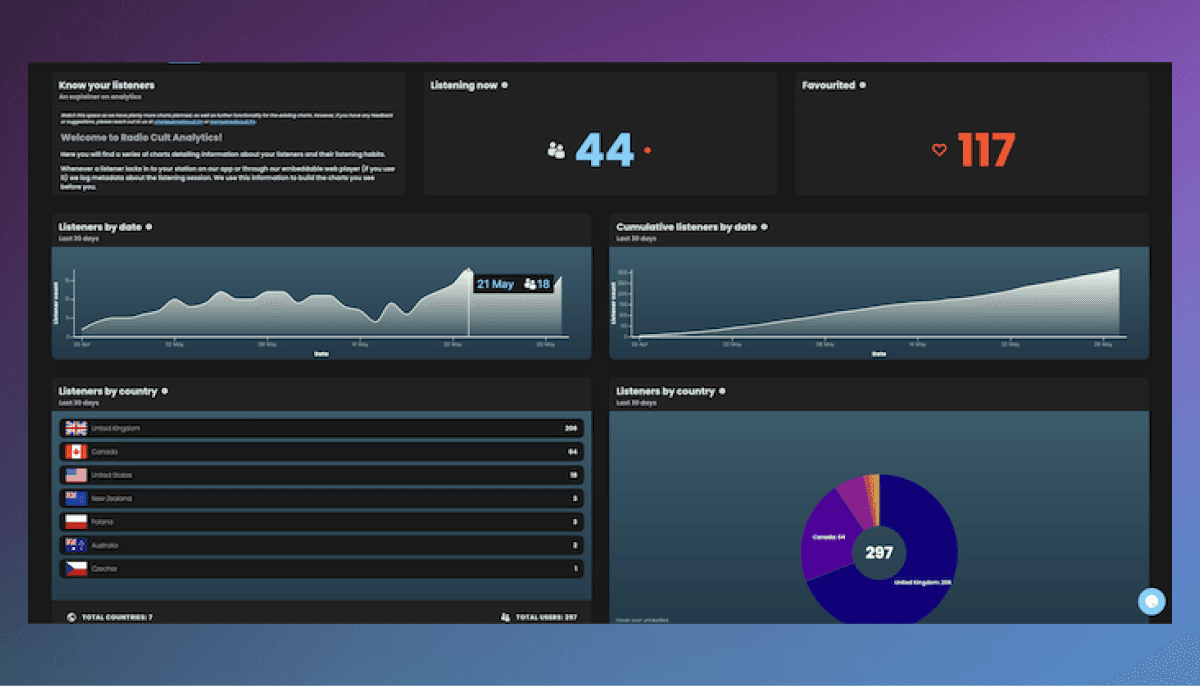
A chat room is also the fastest audience research you will ever run. You see, live, which tracks land, which segments drag, and what your listeners actually want more of. Pair that with your listenership analytics and you get both the numbers and the human context behind them.
RadioCult's built-in Chat Rooms turn your live shows into a two-way conversation, on web and mobile, with no participant caps. Try it free for 7 days.
Where should the conversation live?
There is no single right answer, but the options fall into three broad camps, and the trade-off is always the same: how much control and closeness to the broadcast do you keep, versus how much you lean on an audience that already lives somewhere else.
On-site chat, embedded next to your player
An on-site chat room is embedded directly into your website, sitting right beside the web player. The big advantage is proximity. Your listener is already on your stream, so joining the conversation is one glance away with nothing else to download, log into, or find. You control the styling so the room feels like part of your brand, and the whole experience stays on a page you own.
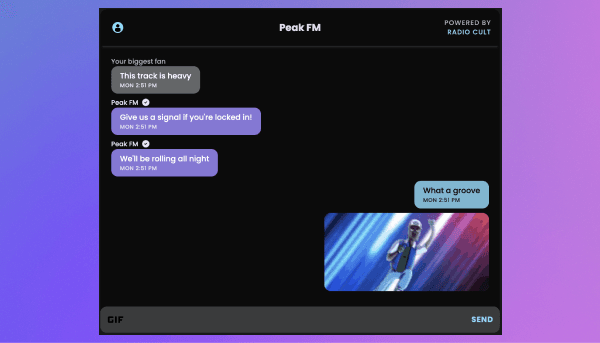
This is the model RadioCult's Chat Rooms are built around: real-time messaging with GIFs and reactions, a 6-month message history so the room is not empty between shows, and moderation tools built in. Because it is embeddable, you copy a snippet into your site and the room appears alongside your player in minutes.
Bundled chat on a content platform (YouTube, Twitch)
Platforms like YouTube and Twitch bundle a live chat alongside the stream itself. The upside is a huge, familiar audience and zero setup cost. The scale of live-plus-chat behaviour is real: viewers watched 20.35 billion hours on Twitch in 2024, where interactive chat is treated as an essential part of the experience and a driver of niche communities (NPR, Twitch 2024 recap). The catch is that you have to broadcast your show through that platform to get the chat, and the audience and relationship ultimately belong to YouTube or Twitch, not you.
External community apps (Discord, Telegram)
Discord and Telegram are excellent at what they do: persistent, feature-rich community spaces that keep buzzing long after a show ends. Many stations run one as a home base. The trade-off is distance from the broadcast. Your listener has to know the server or channel exists, follow a link, and keep a second app open alongside your stream to chat while listening live. That works for your most committed regulars, but it adds friction for the casual listener you are trying to convert, and the conversation happens away from the moment that sparked it.
A sensible pattern for many community stations is both: an on-site room for live, in-the-moment reactions next to the player, plus a Discord or Telegram for the deeper, always-on community. Just be aware that every extra room is another space to moderate and keep warm.
Moderation keeps a room worth being in
A chat room with no moderation does not stay friendly for long. A single troll, a spam run, or an unmoderated pile-on can undo months of community goodwill in an evening. Good moderation is what keeps a room welcoming enough that new listeners feel safe joining in.
Practical basics that make a difference:
- Set a short, visible code of conduct so expectations are clear from the first message.
- Give trusted regulars or team members moderator powers so coverage does not rest on one person.
- Be ready to remove messages and mute or remove disruptive users quickly.
- Keep an eye on the room during live shows, when traffic and emotion both peak.
RadioCult's chat includes moderation controls out of the box, and its built-in user roles mean you can hand presenters and volunteers the right level of access without giving away the keys to the whole station.
A verified host presence changes the room
There is a difference between a listener saying something and the station saying something, and your audience should be able to tell them apart instantly. When a host or the station account is clearly marked, listeners know a shout-out, an answer, or a correction is genuine, and it is much harder for anyone to impersonate the station.
RadioCult supports station-verified messages for exactly this reason. A visible, trusted host presence turns the room from an anonymous comment feed into a real conversation with the people behind the mic, which is precisely the connection that builds loyalty. Growing that kind of relationship at scale is the heart of growing an online radio audience.
Same chat on web and mobile, station-verified host messages, and 6-month history come standard with RadioCult. Start your free 7-day trial.
Keep the conversation close to the broadcast, on every screen
The single biggest reason on-site chat outperforms a separate app is proximity. The closer the conversation sits to the moment that sparked it, the more people take part. If a listener has to leave your player, open another app, and find the right channel, most simply will not bother.
That closeness has to hold on mobile too, because a large share of engagement now starts on a phone and moves between platforms. Deloitte found that 52% of fans say social platforms are their main way to discover new content, rising to 73% among Gen Z, and that fans routinely engage across multiple devices rather than one (Deloitte, Subscribers to Superfans, 2025). A chat that only works on desktop misses most of that audience.
This is why RadioCult carries the same chat across web and the free Mobile App. A listener chatting on your website in the afternoon and another on their phone on the commute are in the same room, seeing the same messages, with the same history. The mobile app is free on every plan and also carries live audio, your schedule, and Shazam-style track ID, so the whole experience travels with your listener.
Setting up a chat room with RadioCult
If you are already running your station on RadioCult, adding chat is quick:
- Enable the chat room for your station.
- Copy the generated embed snippet into your website, next to your web player.
- Style the components so the room matches your site.
- Assign moderator roles to the people you trust, and set your code of conduct.
Because the same room powers the mobile app automatically, you do not build or maintain anything twice. With no participant caps on any plan, the room scales with your biggest nights rather than capping your best moments. For more ways to turn that engaged audience into growth, see our guide on how to get more listeners.
Bringing it together
A chat room is a small addition with an outsized effect. It turns solo listening into a shared experience, gives you instant feedback, and builds the kind of community that keeps people coming back. The category you choose matters less than one principle: keep the conversation as close to the broadcast as you can, moderate it with care, and make it easy to join on whatever screen your listener is using.
Ready to give your listeners a room of their own? Start your free 7-day trial with RadioCult and get real-time Chat Rooms with GIFs, reactions, station-verified messages, and the same chat on web and a free mobile app, all with unlimited listeners.
As always, keep it locked.